Pivot tables
A spreadsheet-style cross-tab of any table, merged ones included. Put fields in Rows, Columns and Values, and narrow the counts by tag with the chips at the top of Filters.
This is the bundled pivot plugin. It is off until you switch it on in Settings → Plugins → Manage plugins…, which takes no restart.
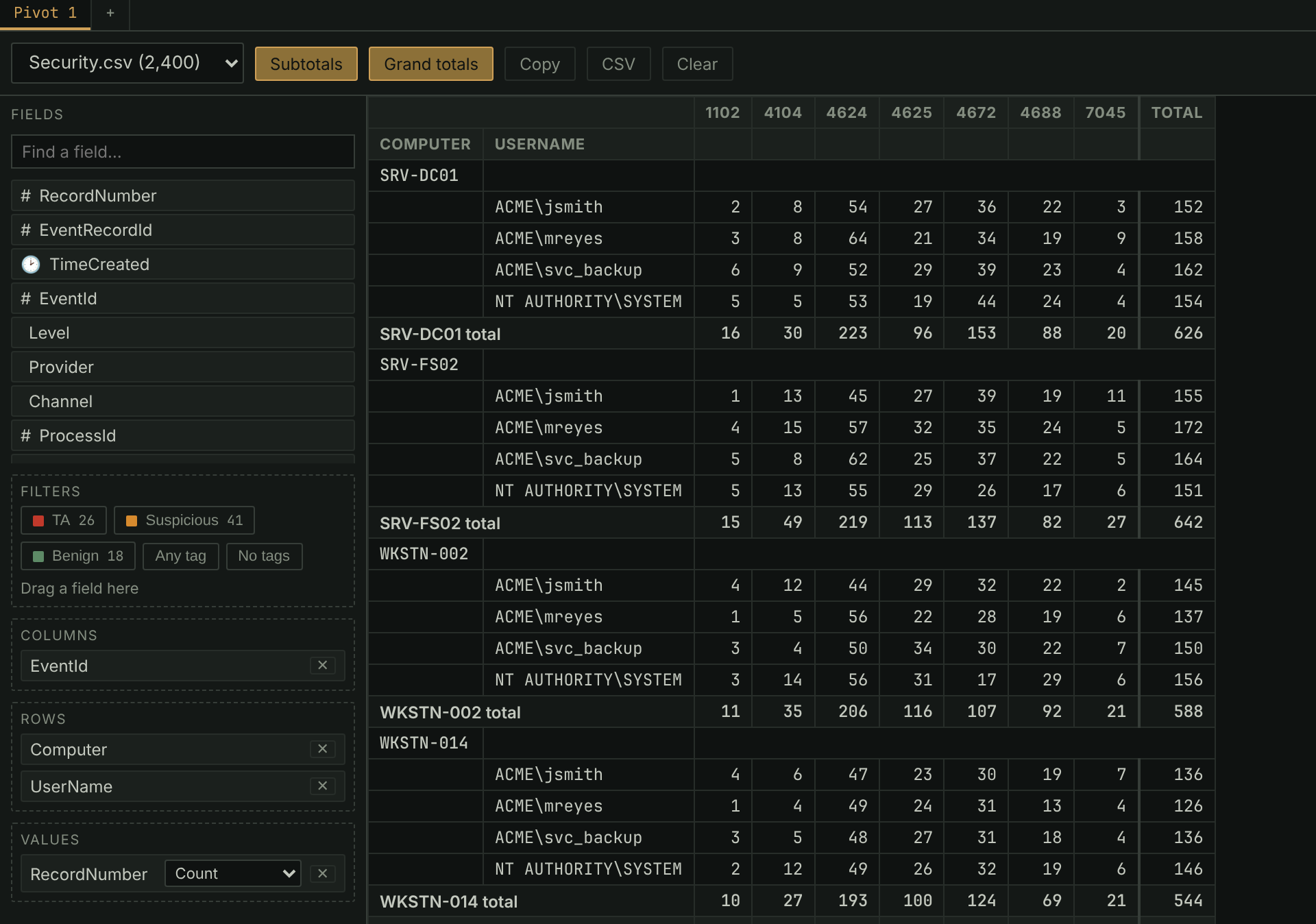
- Click a field and pick an area, or drag it there. Values can be Count, Distinct count, Sum, Average, Min or Max.
- The tag chips work like the tag ribbon above the grid: click one to count only its rows, a second to add its rows, right-click one to exclude it.
- Click any number to see the rows behind it.
- Copy and CSV take the result with you. Several pivots can be open as sub-tabs, and they are saved in the case.
- A pivot reads the whole table: the grid's filters, search and timeframe don't apply to it.
In the manual: Plugins › pivot