Derived columns
A new column computed from one the table already has: a sortable time from an epoch or a FILETIME, a field out of a JSON or XML document, a regex capture, a URL or base64 decode, the first non-empty of several columns, or a value looked up in another table. The original column is never changed, and neither is the evidence file.
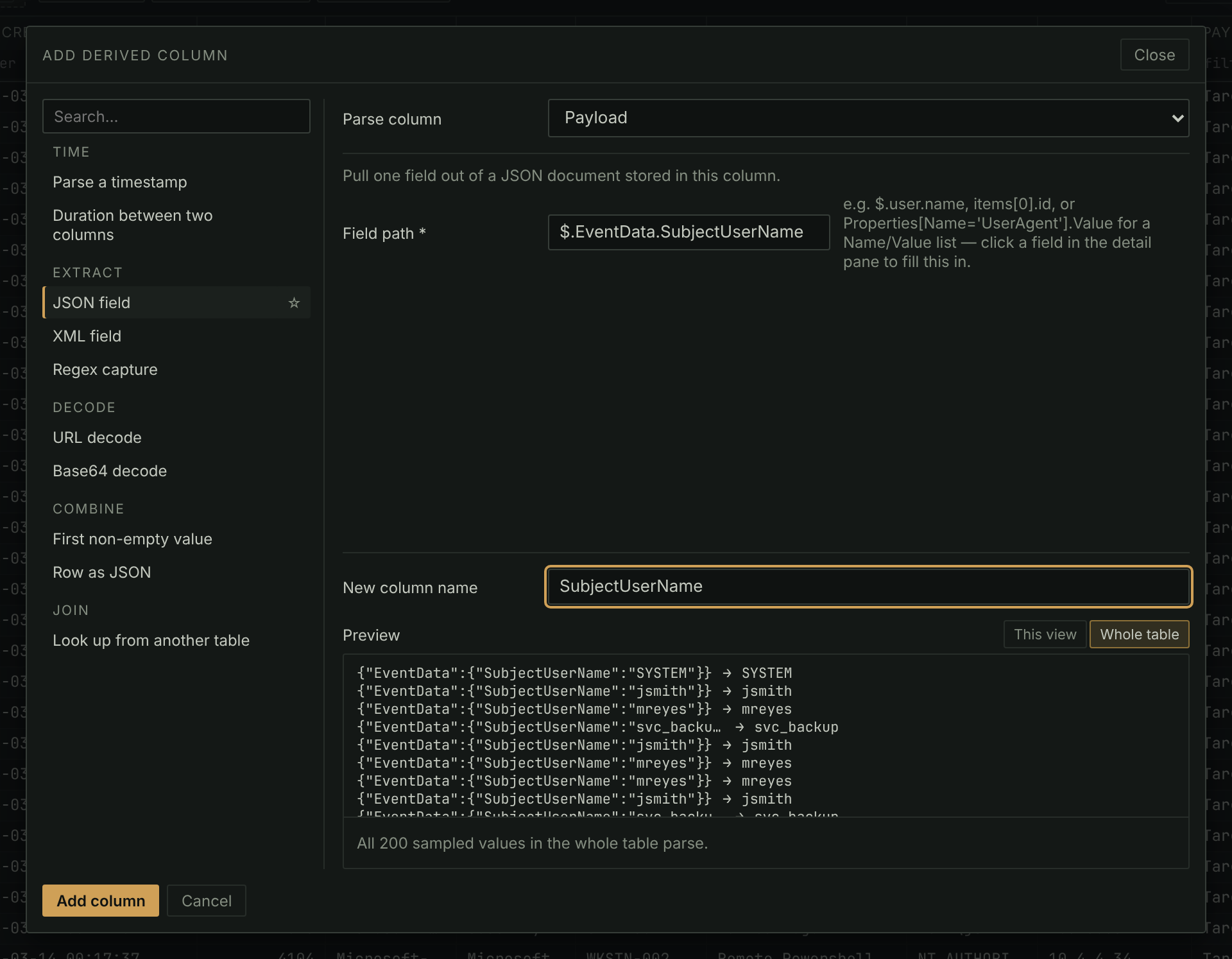
- Right-click a header and choose Derive a column from this…. The dialog previews what each sampled row becomes before anything is added.
- Right-click a field in the detail pane's JSON or XML and choose Add as a column to skip the dialog, or choose Flatten JSON/XML into columns… on a header to pick from every field the documents hold.
- Once built, it sorts, filters, groups and exports like any other column, and a derived datetime column works in the timeframe filter, the histogram and the Timeline.
- It is stored in the case file, values included, so it goes wherever the case goes.
In the manual: Derived columns